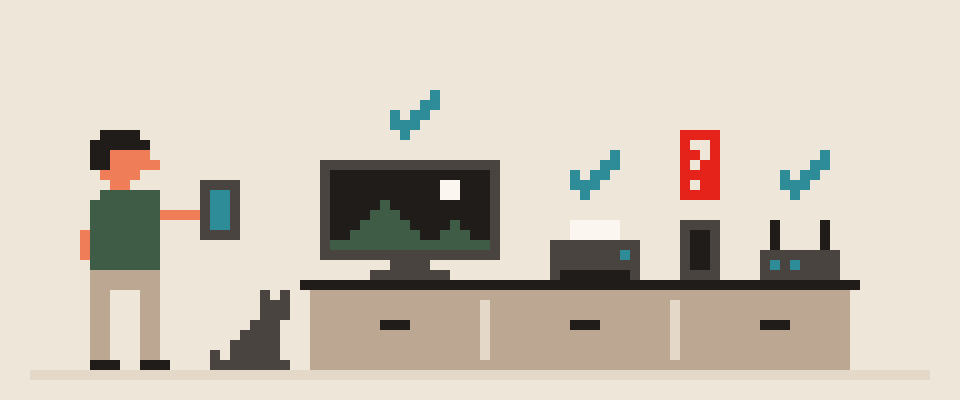
With your IP address, someone can find your country, region and usually your city, the name of your internet provider, and the type of connection: home broadband, mobile, business, or data center.
They can't find your street, your apartment, or your name. The address belongs to the ISP, not to you, and only the ISP knows which customer had it at a given moment. Here's what a website or a stranger really sees, where the errors come from, who can connect an address to a person, and how to check your own.
country            ✓
city               ✓ often wrong
ISP                ✓
connection type    ✓
street, apartment  ✗
your name          ✗
    └─ only the ISP holds the link
What an IP address is
It's the number the network uses to know where to deliver replies. Your ISP assigns it for the duration of a connection: a home router gets one address and every device behind it shares it. Mobile carriers often put thousands of subscribers behind one address (carrier-grade NAT), so "your" mobile IP is really a shared one.
You can see yours, and what geolocation databases say about it, on the What Is My IP page.
the number of an entry point
  ├─ not a name, not a device
  ├─ often shared by many people
  └─ frequently reassigned
What someone can find from your IP address
Websites don't investigate addresses in real time. They look them up in databases that map address ranges to regions and organizations. From those they get:
- Country and region. Almost always right.
- City. Usually right for large cities and home connections; for mobile networks it's often the city where the carrier's gateway is, not where you are.
- ISP. The company that owns the range.
- Connection type. Home, mobile, business or data center. The last one is how sites notice you're on a VPN or proxy.
- Time zone and approximate coordinates. An estimate, not a fact.
Not in any database: your name, home address, phone number, browsing history. A site can know those only from other sources: cookies, your account, your browser fingerprint.
country      usually right
network      usually right
city         often wrong
street       no
name, phone  no
Whether a tunnel removes that address from view, and what it leaves untouched, is in does a VPN hide your IP address.
Why IP location is often wrong
Databases update with delay, and ISPs move ranges between cities. Hence the familiar oddities: you're in Oakland and a site says San Francisco; you're home and the weather app shows the next town. Mobile networks are wrong most often because the address is tied to the carrier's gateway. For the site it doesn't matter; country and rough region are all it needs.
addresses move faster than databases update
one gateway can cover a whole region
Who can link an IP address to a person
Only the ISP, which has a log of which customer used which address when. A website, forum or opponent in a game doesn't have that log. Getting it from the ISP requires a legal process, not a "lookup."
The practical conclusion: the threat "I'll find where you live from your IP" in an online argument is empty. The most the other person gets is a city and an ISP name.
your ISP       yes, by contract
a website      no, not alone
an ad network  no, but knows you anyway
a stranger noyour address alone very little address plus a leaked password a lot address plus an open service at home a lot └─ the address is rarely the dangerous part by itself
Real risks of someone having your IP
- Linking to other data. If you comment under your name from one address and under a pseudonym from the same one, a site can connect the two. The IP isn't the source of the data; it's the link.
- A long-lived address. The same home IP for months is a stable identifier that ad networks can use without cookies.
- DDoS in games. In games with direct peer-to-peer connections, the other player sees your real address and can flood your connection. This is the one scenario where someone knowing your IP has a direct consequence, and the one where a VPN helps most obviously.
The easiest route is to read what a lookup says about you and check it.
Help me read what an IP lookup says about me.

What it shows: address (which), country (which),
city (which), network operator (which),
connection type (if listed).
I am actually in: (city).
Connection: (home broadband / mobile / someone
else's Wi-Fi).

Say what here is right and what is wrong, and why.
Separately, say which of these any website sees
and which only my ISP has.
Do not repeat my address back to me.
Check what your IP address reveals
- Open What Is My IP without a VPN: address, city, ISP. That's what any site sees.
- Open the Privacy Checker: it shows what your browser reveals on its own, without the IP, which is often more.
- Connect the VPN and repeat step 1: the address and city should be the server's.
- Run the WebRTC leak test and the IPv6 leak test: a browser and a network can reveal the real address around the tunnel.
How a VPN changes what your IP reveals
With a VPN, sites see the server's address: a different city, a different provider, type "data center." Your real address is known only to the VPN service, and what it does with it is a policy question, covered in what does no logs mean. Everything a site knows about you through your account and browser is unaffected; the network layer is explained in what can my ISP see, the browser layer in browser fingerprinting explained.
404 VPN doesn't store your source IP address after the connection is established, and DNS stays inside the tunnel; the details are in the privacy policy. Get started here.