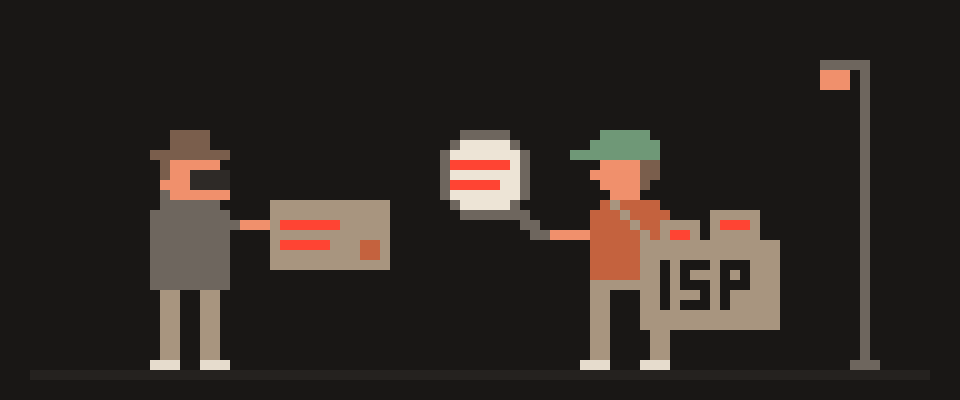
Without a VPN, your internet service provider can see every domain you connect to, when you connect, how much data goes back and forth, and which devices in your home are online.
It can't read the content of pages on HTTPS sites, which today is nearly all of them, and it can't see your Google searches or your messages. With a VPN, the ISP sees one encrypted connection to one server and the amount of data, and nothing else. What it stops seeing, the VPN provider starts seeing, so the honest question isn't "how do I hide" but "who do I want to trust with the list."
which sites you open    ✓
when and how long       ✓
how much data           ✓
page contents           ✗
your messages           ✗
    └─ with a VPN the first line moves
       to the VPN provider
What the ISP sees without a VPN
Domains, not pages. Two things reveal the site you're visiting even on HTTPS. First, the DNS query: before your browser opens a site, it asks a DNS server, usually the ISP's, for the site's address, in plain text. Second, the server name in the TLS handshake, a field called SNI, which is sent unencrypted at the start of most HTTPS connections. So the ISP sees that you opened a news site, a bank, a medical site or a dating app. It doesn't see which article, which account or which profile.
Timing and volume. When you were online, for how long, how much data each connection moved. A video call and a file download have different shapes, and traffic shapes can be classified even when they're encrypted.
Your devices. The ISP-supplied router reports connected devices, and each device's traffic patterns identify it as a phone, a TV, a console.
Plain-text traffic. Old apps, some smart-home devices and any site still on plain HTTP send content readable by anyone in the path.
Not visible: page content on HTTPS, form data, passwords, search terms, message content in end-to-end encrypted apps. Encryption in transit is the default now, and it works.
site names you visit      yes
timing and volume         yes
page content over HTTPS   no
passwords and messages    no
Incognito mode changes none of this, which is the most common misunderstanding: does your ISP see incognito.
What your ISP sees with a VPN
The VPN app wraps everything your device sends, DNS included, into an encrypted tunnel to the VPN server. From the ISP's side:
- The only destination is the VPN server's IP address.
- DNS queries are inside the tunnel, so no domain list.
- SNI is inside the tunnel, so no server names.
- Volume and timing are still visible: the ISP knows you moved 3 GB tonight, not what it was.
- The fact that you use a VPN is visible, and with some protocols the type of VPN is obvious. Protocols such as VLESS are built to look like ordinary HTTPS traffic to a normal website, which makes even that less obvious.
Two conditions for this to hold. DNS must actually go through the tunnel; if it doesn't, the ISP still gets the domain list, and you should check with the steps in is my DNS leaking. And the tunnel must stay up; a kill switch keeps traffic blocked during reconnects instead of letting it fall back to the ISP.
one address you connect to
how much and when
the fact that it is a tunnel
   └─ site names move inside the
      envelope and stop being visible
no tunnel   your ISP holds the list
tunnel      the operator holds it
   └─ pick whose logging policy and
      jurisdiction you prefer
What the VPN provider sees instead
This is the part most articles skip. Once the tunnel is up, the VPN server is where your traffic is decrypted and sent on to websites. So the VPN provider is in exactly the position the ISP was in: it can see the domains, the timing and the volume, and it can't see HTTPS content. Whether it records any of that is a policy question, and the only way to evaluate a policy is to read it.
A useful test is to look for specifics. "No logs" alone is marketing. A policy that lists what is stored and what isn't is something you can check. For example, 404 VPN's privacy policy states that it doesn't store browsing history, DNS queries, traffic content or metadata, or your source IP after the connection is established, and that it does store your email, subscription status, and aggregated technical statistics such as data volume per period and the date of last connection. That last part matters: a provider that claims to store nothing at all is either not running a service or not telling you everything.
no tunnel   your ISP sees it all
tunnel      the server operator
            sees the same things
   └─ the question is not whether,
it is who you would rather trustyour visible address yes approximate city yes your browser build yes your account, if you log in yes └─ a tunnel changes the first two and nothing else on this list
What websites see
Without a VPN, a website sees your real IP address, from which it derives a rough location and your ISP's name. With a VPN it sees the server's address. Everything else a site learns about you, cookies, logins, browser fingerprint, screen size, installed fonts, is unaffected by the VPN, because it comes from the browser rather than the network. The Privacy Checker shows what your browser reveals on its own, without the IP address, and it's usually more than people expect.
encrypted DNS   hides names from ISP
HTTPS-only mode closes content
                everywhere
content blocker drops trackers
   └─ none of these change your address
Hiding browsing from your ISP without a VPN: DNS and ECH
You can close part of the gap without a VPN. Encrypted DNS, over HTTPS or TLS, hides the DNS queries from the ISP, though not from the DNS provider. Encrypted Client Hello, a newer TLS extension, hides the SNI as well, but only on sites and networks that support it, and support is still partial. Together they shrink what the ISP sees to IP addresses and traffic shapes. A VPN covers all of it at once, for every app, and adds the IP change on top. Use encrypted DNS regardless; it's free and improves things even with a VPN as a fallback.
If you want the picture for your own setup rather than the general one, describe it.
Help me work out what my ISP can see right now.

What I have on: encrypted DNS (yes / no / not
sure), HTTPS-only mode (yes / no), a VPN
(yes / no), a content blocker (yes / no).
Device: (which). Browser: (which).

List what my ISP sees today, and what it would
stop seeing if I turned on each missing piece.
Say which single change does the most.
Do not promise invisibility: I want the accurate
picture, not reassurance.
Practical summary
- The ISP sees domains, timing, volume and devices. Not content, not searches, not messages.
- A VPN reduces that to "one encrypted connection and some volume," provided DNS goes through the tunnel and the kill switch is on.
- The VPN provider then sees what the ISP used to. Read its policy for specifics, not slogans.
- Websites still see your browser. A VPN changes the address, not the fingerprint.
404 VPN's apps route DNS inside the VLESS tunnel, the Android app includes a kill switch, and the WireGuard configs for Istanbul and Marseille from the dashboard put DNS inside the tunnel too. The privacy policy lists exactly what is and isn't kept. Details on the security page; get started here.