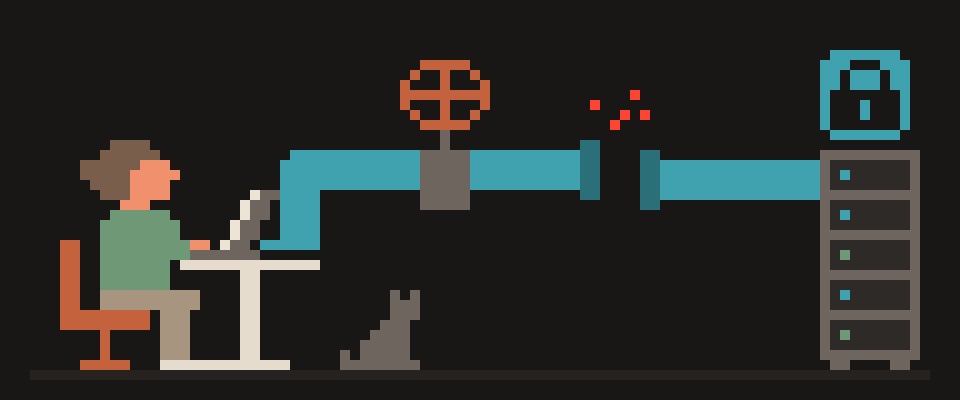
Is WireGuard secure? Yes, in the ways a tunnel protocol can be: it uses one fixed set of modern cryptographic primitives with no negotiation to get wrong, its codebase is small enough to be read in full, and it has been independently reviewed and formally analyzed. According to the WireGuard project, the implementation is under 4,000 lines of code, against the hundreds of thousands in older VPN stacks. Fewer lines, fewer places for bugs, easier audits. That's the case for it, and it's a strong one.
What "secure" doesn't cover is just as important. WireGuard secures the tunnel between two peers; it doesn't manage keys, doesn't hide that you use it, doesn't by itself forget your address when you disconnect, and doesn't decide what runs on the server. Below, what it protects, what it leaves to you, and a short checklist for your own setup.
modern cryptography       ✓
small, reviewed code      ✓
hides your traffic        ✓
hides that you use it     ✗
rotates your IP for you   ✗
    └─ the last two are the provider's job
WireGuard encryption in one paragraph
WireGuard fixes the algorithms instead of negotiating them: Curve25519 for key agreement, ChaCha20-Poly1305 for encryption and authentication, BLAKE2s for hashing, HKDF for key derivation, per the project's documentation. There's no "which cipher suite did we end up with" and no downgrade path, which removes an entire class of the problems that have plagued older protocols. If one of these primitives is ever broken, the protocol version changes; you don't patch a config file, you update the software. The handshake also provides forward secrecy: session keys rotate, so a key captured later doesn't unlock earlier traffic.
one fixed set of algorithms
no negotiation, no downgrade
keys rotate on their own
   └─ you cannot misconfigure
      a cipher that cannot be chosen
WireGuard code size and security audits
Older VPN stacks drag decades of features, options and compatibility layers behind them, and at that size a full audit stops being realistic. WireGuard is small enough that auditing it is realistic, and people have done it: the protocol has been the subject of formal verification work and independent security reviews, and the Linux implementation was accepted into the mainline kernel, which brings its own review process. None of that makes it bug-free; it makes bugs easier to find and fix, and it means the protocol's claims have been checked by people other than its author. How it compares with the older protocol in day-to-day terms is in WireGuard vs OpenVPN.
What WireGuard protects
Everything between your device and the peer: content, DNS if it's routed through the tunnel, the addresses of the sites you visit. An observer on the coffee shop Wi-Fi or at your ISP sees encrypted packets to one address and their volume. The tunnel survives network changes without a new handshake, so there's no gap when your phone moves from Wi-Fi to cellular, provided the app keeps the tunnel up.
packet contents                yes
who you talk to, network view  yes
that you use a tunnel at all   no
your logged-in accounts        no
What WireGuard leaves to you
Key management. Each peer needs the other's public key, distributed somehow. Paste them by hand, use a config generator like ours, or use a mesh service that distributes them; the trade-offs of that route are in WireGuard vs Tailscale. Lose a private key, or leave a stale peer in the server config, and the cryptography can't help you.
DNS. WireGuard carries packets; it doesn't decide where your DNS queries go. If the client sends them outside the tunnel, your ISP still gets your list of sites while the tunnel looks fine. Check with the IPv6 leak test and What Is My IP; the fixes are in Is my DNS leaking.
The kill switch (no tunnel, no internet). Not part of the protocol at all. If your tunnel is down, your traffic walks out unencrypted unless the app or your OS blocks it. Details in What is a VPN kill switch.
The server. Whatever runs on the far end sees your traffic in the clear as it leaves for the internet. WireGuard doesn't make a bad provider good; the policy does, or doesn't.
key distribution
what goes in AllowedIPs
which resolver you use
whether traffic stops on a drop
   └─ by design: the protocol is
      small because this is yours
each peer keeps a fixed inner address
  └─ stable across sessions
  └─ the server can link your
     sessions by it
by design, and worth knowing
WireGuard privacy: the IP address caveat
By design, a WireGuard server holds the last address of each peer in memory for as long as that peer is configured, because that's how it sends packets back to you. There's no built-in timer that forgets it. On a personal server that is harmless. On a shared service it means the provider has to add its own mechanism to drop client addresses after disconnect, and to rotate keys so that a static key doesn't tie a user to sessions over time. This is a known, documented property, and it's why "we run WireGuard" isn't by itself a privacy statement; what the provider does about it is. A provider's policy should say whether the source address is kept after the connection is established; ours states it isn't, in the privacy policy.
that you use a tunnel     visible
which server              visible
how much and when         visible
what is inside            not visible
   └─ small code protects contents,
      not the fact of the tunnel
Can networks detect WireGuard?
WireGuard doesn't try to look like anything it isn't. Its handshake has a recognizable shape, so a network that inspects traffic can pick yours out and, if it feels like it, drop it. That's a reachability problem, not a security one: identified isn't decrypted. Where reachability matters, protocols built to resemble ordinary HTTPS, such as VLESS with Reality, are the complementary tool; what they are is in What is VLESS and Reality.
[ ] address shown is the server's
[ ] DNS resolves inside the tunnel
[ ] no IPv6 slipping around it
[ ] traffic actually stops when it drops
[ ] each device has its own key
Check your WireGuard setup in five minutes
- Client config: the server's public key is the one you meant, and AllowedIPs is 0.0.0.0/0 and ::/0 if you want everything in the tunnel.
- The DNS in your config points at a resolver reached through the tunnel. Check it with the leak tests above.
- Kill switch on, in the app or in your OS.
- On the server: no stale peers, one key per device, and the WireGuard port the only one open.
- Software up to date on both ends, yours and the server's.
A five-minute check is easier to read than to run. Hand over what you saw.
Help me check my WireGuard setup for gaps.

What the address check shows: (server country /
my own country).
DNS leak test: (tunnel resolver / my ISP / both).
WebRTC test: (nothing / a real address).
IPv6: (shown / not shown / not sure).
Does traffic stop when the tunnel drops:
(yes / no / not tested).

Say which of these is a real gap and which is
normal, and what to fix first.
Do not ask me to paste any key.
Bottom line
WireGuard is secure as a protocol in a way few of its predecessors can claim: fixed modern cryptography, a codebase small enough to audit, and audits that have actually happened. What it doesn't do, it doesn't do on purpose: keys, DNS, kill switch, server behavior and address retention are your job or your provider's. Judge a setup by those, not by the protocol's name.
404 VPN now gives WireGuard configs for Istanbul and Marseille from the dashboard, next to VLESS in its apps. The configs send DNS and all IPv4 and IPv6 traffic into the tunnel, the kill switch is a setting in your WireGuard app or phone, and 404 VPN doesn't keep the source IP after the connection is established, as stated in the privacy policy. Test it on the free plan, which gives WireGuard its own 2 GB a day, starting on the home page.