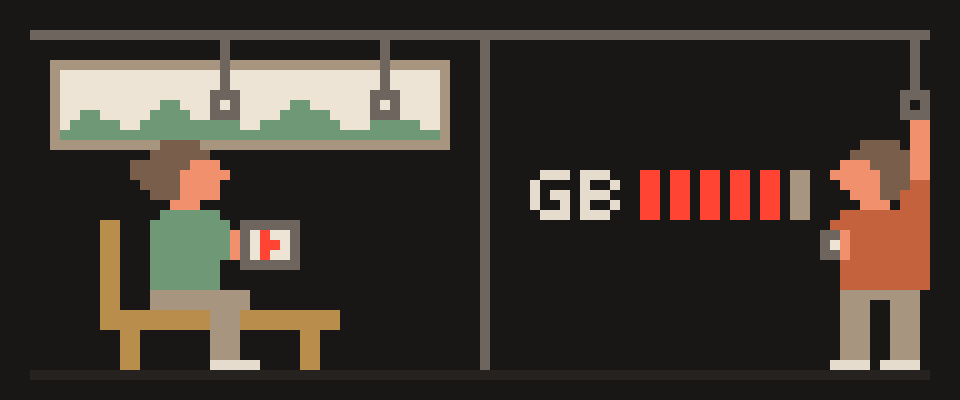
A VPN uses more data than a direct connection, but only by a small margin.
Every packet your device sends is wrapped inside another packet with an extra header and encryption data, so the total grows a little. How much depends on the protocol and the packet sizes: WireGuard and VLESS add the least, OpenVPN adds more. If your mobile plan started running out noticeably faster after you installed a VPN, the cause is almost always something else happening at the same time, not the tunnel itself.
bar length: share of the total

your actual data   ▇▇▇▇▇▇▇▇▇▇▇▇▇▇▇▇▇
packet headers     ▇
encryption         ▇
    └─ percent, not double;
measure yours to be surea tunnel adds a few percent switching video one step down saves far more └─ if data is tight, the video setting is the lever
How much data does a VPN use? Where it comes from
The internet moves data in packets. Without a VPN, each packet carries your data and a small header with the destination. With a VPN, the whole packet goes inside a new one, which has its own header (the VPN server's address) and encryption data. The extra header is roughly fixed in size, so proportionally it's larger on small packets (messages, voice calls) and almost invisible on large ones (video, downloads).
Keepalive packets every so often and re-handshakes when you change networks add a little more. All of it is a small fraction of your traffic.
every packet travels in an envelope
  ├─ the envelope header
  ├─ an integrity tag
  └─ padding to a block size
a few percent, not a multiple
For the plan size itself rather than the tunnel overhead, see how much mobile data do I need.
Why a VPN seems to use a lot of data
- Retransmissions on a bad connection. Lost packets get resent whether or not you're on a VPN. You just happen to notice it right after installing one.
- Background apps. With Always-on VPN, your syncs and updates keep running exactly as before. The only difference is that your phone now blames all of it on the VPN app instead of spreading it across the apps that actually caused it.
- Higher quality. Some video services pick quality based on the route. If your VPN server happens to give them a better path, they quietly bump the quality up and eat more data doing it.
- Compression turned off. Some carriers squash images on mobile data. Inside the tunnel they can't, so your images show up full size.
the system counts the tunnel as
its own line
  └─ traffic appears twice: once
     in the app, once in the VPN
add both and you double your bill
on paper
How to measure VPN data usage on iPhone and Android
- iPhone: Settings → Cellular, reset statistics at the bottom. Android: Settings → Network → Data usage, reset.
- Without the VPN, play a specific video at a specific quality for ten minutes; note the usage.
- With the VPN, play the same video at the same quality for the same time.
- The gap between the two is what the tunnel actually costs you. If it looks big, either the quality changed or something else was running in the background.
To estimate your monthly need by type of use, video, calls, browsing, use the data usage calculator.
[ ] reset the data counter
[ ] one day without, write it down
[ ] reset again
[ ] one day with, write it down
[ ] compare instead of guessing
Six ways to reduce VPN data usage
- A lighter protocol: WireGuard or VLESS instead of OpenVPN.
- Split tunneling: exclude heavy apps that don't need privacy (game updates, cloud backup) and keep the browser and email inside. How it works is in what is split tunneling.
- Updates on Wi-Fi only, in your app store and system settings. This is your single biggest consumer and it has nothing to do with the VPN.
- Data saver modes in YouTube, Instagram and the rest, which lower quality on mobile data.
- A stable server: one near you and not overloaded will lose fewer packets, and load is shown on the server list.
- Read the per-app statistics, not just the VPN line, if you want to see what's actually eating your plan.
lower video quality   ||||||||||
autoplay off          ||||||
updates over Wi-Fi    |||||
background sync off   |||
the tunnel itself     |
Data counters double-count traffic that passes through a tunnel. Check yours.
Help me read my mobile data usage.

What the data screen shows: (the top apps and
roughly how much each used).
What the VPN entry shows: (how much).
Total for the period: (how much).
Phone: (model, system).

Say whether the VPN line is genuinely extra usage
or the same traffic counted twice.
Then tell me which settings would cut the real
number most.
Is a VPN worth it on a limited data plan?
On a limited mobile plan, the small overhead is a reasonable price for encrypted traffic on public networks and a site list hidden from the network. On a very small plan, use split tunneling: protection for the browser, email and banking, exceptions for everything heavy. How a VPN affects speed rather than volume is in does a VPN slow down your internet, and its effect on battery is in does a VPN drain battery.
404 VPN uses the lowest-overhead protocols: VLESS in its Android and macOS apps, with per-app split tunneling, and WireGuard configs for Istanbul and Marseille from the dashboard. Estimate your data needs with the calculator, or get started here.